Which FxPro account is best? Compare MT4 vs MT5 vs cTrader: features, ease of use, and who each platform is for in 2026.

📌 Key Takeaways: FxPro Account Types
- Three account types: MT4, MT5, and cTrader — all with a $100 minimum deposit
- MT4: Best for beginners, forex-only traders, and Expert Advisor (EA) users
- MT5: Best for intermediates, multi-asset traders, and advanced technical analysis
- cTrader: Best for professionals, scalpers, and traders who need full Depth of Market (DOM)
- Key difference: MT4 = simplicity & EAs; MT5 = more tools & assets; cTrader = speed & transparency
- Pro tip: You can open multiple account types under one FxPro login — try them on demo first
FxPro Account Types Explained (2026): MT4 vs MT5 vs cTrader
You’ve decided to trade with FxPro. You’ve checked the minimum deposit ($100), read the reviews, and compared fees. Now comes the most important decision: Which FxPro account type should you choose?
FxPro offers three powerful platforms: MetaTrader 4 (MT4), MetaTrader 5 (MT5), and cTrader. Each is designed for different trading styles and experience levels. Picking the right one can mean the difference between a smooth trading experience and constant frustration.
In this guide, we’ll break down each platform, compare them head‑to‑head, and help you decide which FxPro account type is best for you in 2026.
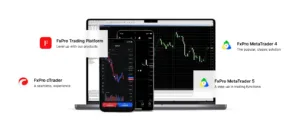
Table of Contents
Quick Answer: What FxPro Account Types Are Available?
FxPro offers three main account types: MT4, MT5, and cTrader. MT4 is best for beginners who want simplicity and a huge library of Expert Advisors (EAs). MT5 adds more timeframes, more order types, and built‑in economic calendars. cTrader is designed for professional traders who need advanced execution, depth of market (DOM), and a modern interface.
FxPro Account Types Overview (2026)
Here’s a high‑level comparison to help you orient yourself:
| Platform | Best For | Key Feature | Learning Curve |
|---|---|---|---|
| MT4 | Beginners / Forex‑only traders | Simple interface + 10,000+ EAs | Low |
| MT5 | Intermediate traders / Multi‑asset traders | More indicators, more order types | Medium |
| cTrader | Advanced / Professional traders | Depth of market, advanced execution | Medium‑High |
All three platforms require the same minimum deposit of $100 and are available on desktop, web, and mobile.
1. FxPro MT4 Account – The Industry Standard
What Is MT4?
MetaTrader 4 (MT4) is the most popular retail forex trading platform in the world. It was released in 2005 and has become the default choice for millions of traders. FxPro offers MT4 as one of its core account types.
Key Features of FxPro MT4
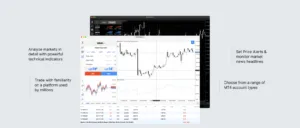
- Simple, intuitive interface – Easy to navigate, even for complete beginners
- 9 timeframes – From 1 minute to 1 month
- 30+ built‑in indicators – Plus thousands of custom indicators available for free
- Expert Advisors (EAs) – Automated trading robots. MT4 has the largest EA ecosystem anywhere.
- One‑click trading – Fast execution from the chart
- Market Watch – Real‑time quotes with customizable symbols
Who Is the FxPro MT4 Account Best For?
✅ Beginners – The simplicity makes it easy to learn
✅ Forex‑only traders – MT4 is optimized for forex pairs
✅ EA users – If you want to run automated strategies, MT4 is unmatched
✅ Traders who value community – Huge online support, forums, and tutorials

Limitations of MT4
- ❌ Limited multi‑asset support (stocks, futures, etc.)
- ❌ Only 9 timeframes (MT5 has 21)
- ❌ Older interface (looks dated compared to cTrader)
Verdict: MT4 is still an excellent choice in 2026 – especially if you’re new or rely on EAs.
2. FxPro MT5 Account – The Advanced Evolution
What Is MT5?
MetaTrader 5 (MT5) is the successor to MT4, released in 2010. It was designed to handle more asset classes (stocks, commodities, futures, options) and offers advanced tools for serious traders. FxPro provides MT5 as a separate account type.
Key Features of FxPro MT5
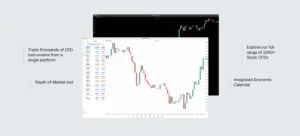
- 21 timeframes – More granular chart analysis
- 80+ built‑in indicators – Nearly triple what MT4 offers
- 6 pending order types – Including Buy Stop Limit and Sell Stop Limit (MT4 has 4)
- Built‑in economic calendar – No need for third‑party plugins
- Depth of Market (DOM) – See liquidity at different price levels (for certain assets)
- Multi‑threaded strategy tester – Faster backtesting for EAs

Who Is the FxPro MT5 Account Best For?
✅ Intermediate traders – You’ve outgrown MT4’s simplicity
✅ Multi‑asset traders – You want to trade stocks, indices, and futures alongside forex
✅ Advanced technical analysts – More indicators and timeframes
✅ Algo traders needing better backtesting – MT5’s tester is more powerful
Limitations of MT5
- ❌ Smaller EA library than MT4 (though growing)
- ❌ Slightly steeper learning curve
- ❌ Less community content than MT4
Verdict: MT5 is the better choice for anyone who trades beyond forex or needs advanced charting.
3. FxPro cTrader Account – The Professional’s Choice
What Is cTrader?
cTrader is a next‑generation trading platform developed by Spotware Systems. It’s designed specifically for brokers like FxPro that offer transparent, direct market access. cTrader is known for its clean interface, advanced execution, and full depth of market.
Key Features of FxPro cTrader
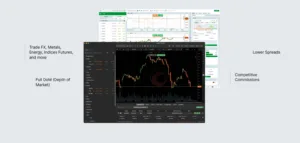
- Modern, intuitive interface – Like a Bloomberg terminal but user‑friendly
- Full Depth of Market (DOM) – See all bid/ask orders before you trade
- Level II pricing – Transparent liquidity
- Advanced charting – 70+ indicators, drawing tools, and multiple chart types
- One‑click trading from DOM or chart
- cAlgo – Built‑in automated trading using C#
- No dealing desk – True STP (Straight Through Processing) execution

Who Is the FxPro cTrader Account Best For?
✅ Professional traders – You need DOM and fast execution
✅ Scalpers and day traders – cTrader’s execution speed is excellent
✅ Traders who hate clutter – The interface is clean and customizable
✅ Developers using C# – cAlgo is more powerful than MT4/MT5’s MQL for some
Limitations of cTrader
- ❌ Smaller community than MT4
- ❌ Fewer pre‑built automated strategies
- ❌ Not as widely known (but growing fast)
Verdict: cTrader is the best platform on FxPro for serious, professional traders who want transparency and speed.
FxPro MT4 vs MT5 vs cTrader – Head‑to‑Head Comparison
This is the core decision‑making section. Use the table below to compare features side by side.
| Feature | MT4 | MT5 | cTrader |
|---|---|---|---|
| Ease of Use | ⭐⭐⭐⭐⭐ | ⭐⭐⭐⭐ | ⭐⭐⭐ |
| Timeframes | 9 | 21 | 10+ (customizable) |
| Built‑in Indicators | 30+ | 80+ | 70+ |
| Order Types | 4 | 6 | 5 |
| Depth of Market | ❌ | ✅ (limited) | ✅ (full DOM) |
| Automated Trading | MQL4 (EAs) | MQL5 | cAlgo (C#) |
| Multi‑Asset Support | ❌ (forex focus) | ✅ (stocks, futures, etc.) | ✅ (forex + CFDs) |
| Execution Speed | Good | Very Good | Excellent |
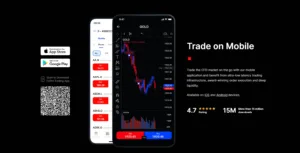
| Mobile App | ✅ | ✅ | ✅ (very polished) |
| Best For | Beginners, EA users | Intermediates, multi‑asset | Professionals, scalpers |
Which FxPro Account Should You Choose? (Decision Flow)
Still unsure? Follow this simple decision tree:
Choose MT4 if:
- You are a complete beginner to trading
- You only trade forex (not stocks or commodities)
- You want to use Expert Advisors (EAs) from the massive online library
- You prefer a simple, no‑distraction interface
Choose MT5 if:
- You have some trading experience (6+ months)
- You trade multiple asset classes (indices, commodities, shares)
- You need more indicators and timeframes for technical analysis
- You want a built‑in economic calendar
Choose cTrader if:
- You are an experienced or professional trader
- You need full Depth of Market (DOM) for precise entries
- You scalp or trade very short timeframes
- You prefer a modern, clean, highly customizable interface
- You code automated strategies in C# rather than MQL
Pro tip: You can open multiple account types under one FxPro login. Many traders keep an MT4 account for EAs and a cTrader account for manual scalping.
Frequently Asked Questions (FAQ)

What account types does FxPro offer?
FxPro offers MT4, MT5, and cTrader accounts. All three share the same minimum deposit of $100 and offer access to forex, indices, commodities, and shares.
Which FxPro platform is best for beginners?
MT4 is the best for beginners due to its simplicity, huge educational content, and easy‑to‑use interface.
Is MT4 better than MT5 for forex trading?
For pure forex trading, MT4 is still excellent and has more EAs. However, MT5 offers better backtesting and more timeframes. Many traders prefer MT5 for the extra tools.
Is cTrader better than MT4?
For execution speed and transparency (DOM), cTrader is better. For automated trading with a large library, MT4 is better. It depends on your style.
Can I use Expert Advisors on cTrader?
Yes, cTrader has its own automated trading language called cAlgo using C#. It’s more powerful but has fewer pre‑built strategies than MT4’s MQL4.
Does FxPro charge different fees per account type?
No. FxPro uses the same spreads and commissions across MT4, MT5, and cTrader for the same account tier (e.g., Standard). Check our FxPro fees guide for details.
Can I switch from MT4 to cTrader later?
Yes. You can open a new cTrader account within your existing FxPro dashboard. You don’t need to close your MT4 account.
Final Verdict: Which FxPro Account Type Is Right for You?
There’s no single “best” account type – only the one that matches your experience and trading style.
- Start with MT4 if you’re new. It’s forgiving, well‑documented, and powerful enough for years of trading.
- Upgrade to MT5 when you need more tools or want to trade beyond forex.
- Switch to cTrader if you become a professional, scalp, or demand full market depth.
FxPro gives you the flexibility to use all three. Many successful traders maintain both an MT4 account (for automated strategies) and a cTrader account (for manual execution).
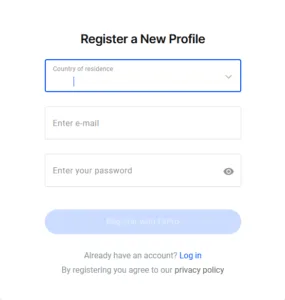
👉 Next step: Open your FxPro account (minimum $100) and try the demo version of each platform. Most traders know within a few days which one feels right.
Ready to Open Your FxPro Account?
Now that you know which account type suits you best, it’s time to fund your account and start trading.
✅ Minimum deposit: $100
✅ MT4, MT5, or cTrader – you choose
✅ No deposit fees on most methods
👉 Open an FxPro Account Now
Trade responsibly. Trading CFDs involves risk of loss.

Explore More FxPro Guides
- FxPro Review 2026 – Is It Safe & Legit?
- FxPro Fees Explained – Spreads, Commissions & Swaps
- Best FxPro Alternatives for Low‑Deposit Trading
- FxPro Minimum Deposit – How Much to Start
More Reading
- Forex Broker Regulation Tier List
- What to Do If a Broker Delays Your Withdrawal
- Forex Spreads vs. Commissions: What’s the Real Cost?
- Best Forex Brokers for Beginners in 2026
- IronFX Review 2026: High Leverage and Copy Trading
- EXANTE Review 2026: A Broker for Professionals
About the Author – Zahari Rangelov
Zahari Rangelov is a financial content strategist and broker analyst with over a decade of experience in the online trading industry. He specializes in translating complex broker features, regulation, and user sentiment into actionable insights for traders of all levels. His work has been featured on leading financial comparison platforms, and he is a regular contributor to TraderFactor, where he focuses on broker reviews, market analysis, and trader education.

[Subscribe to the TraderFactor Newsletter]
Last Updated: June 2026
Disclaimer:
This article is for informational purposes only and does not constitute financial advice. Trading CFDs, forex, stocks, and commodities carries significant risk. Geopolitical events can cause extreme and unexpected market movements. Always verify information from multiple sources.
FOLLOW US